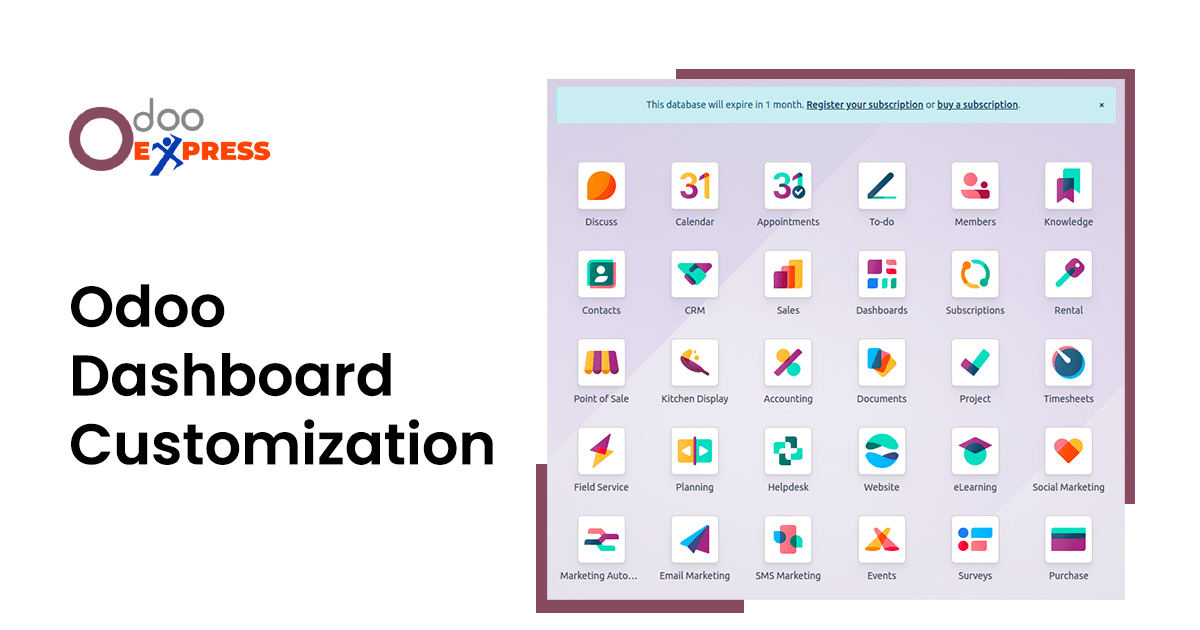
A dashboard is the first thing most people see when they open business software. It is supposed to answer the most important question of the day. How is the business performing right now? In Odoo, dashboards pull information from sales, inventory, accounting, projects, and other areas into one screen. This saves time. But no two businesses run exactly the same way. A standard dashboard that works for one company may feel completely wrong for another. That is why customization matters.
The Problem with Standard Dashboards
When a company first starts using Odoo Customization, every application comes with a pre-built dashboard. The sales dashboard shows open opportunities and win rates. The inventory dashboard displays current stock levels and products that need reordering. The accounting dashboard presents cash flow and unpaid customer invoices.
These default views serve a general audience. They are designed to cover many industries at once. A manufacturing business needs production efficiency numbers front and center. A distribution company wants real time shipping status. A consulting firm cares about project hours and client budgets. The standard dashboard cannot fit all of these needs at the same time.
The result is information clutter. Users scroll past charts they never look at to find the one number that actually matters to their job. Over weeks and months, this friction adds up. People start ignoring the dashboard altogether. They go back to pulling manual reports. The software stops being helpful.
What Customization Really Means
Customizing an Odoo dashboard is not about making things look pretty. It is about removing what does not matter and putting what does matter in plain sight. A good customized dashboard answers three questions immediately. What needs my attention right now? What trend should I watch? What progress have we made since yesterday?
Every chart, list, or number that does not help answer these questions is just noise. The goal is to strip away that noise. When done well, the dashboard stops being a passive report. It becomes an active tool that helps people make faster and better decisions.
Different Ways to Customize
Odoo ERP offers several ways to personalize dashboards. The simplest method is rearranging existing pieces. Users can click and drag chart blocks, filter panels, and lists to new positions on the screen. This changes the layout for only that one user. A sales manager might put the pipeline chart at the top. A sales representative might put their personal open deals at the top instead. Everyone gets what works best for them.
The next step is choosing which data sources appear on a dashboard. Instead of accepting the default set of charts, users can bring in views from other applications. A project manager could add a timesheet summary to the project dashboard. A warehouse supervisor could add purchase order status to the inventory view. This keeps people from jumping back and forth between different screens.
The most complete form of customization is building a brand new dashboard from a blank layout. This is useful when no existing dashboard comes close to what is needed. Users select the exact data fields they want. They choose how each piece should be displayed. They arrange everything and save the result for themselves or for their whole team.
Real World Examples
A sales team might customize their dashboard to show only three things. Active deals that are close to the closing date. A simple line comparing this month’s revenue to last month. A short list of the five best selling products. Everything else moves to a secondary screen for occasional review.
An operations manager might turn the dashboard into an exception tracker. Orders that are late to ship show up in red. Products that have fallen below safety stock levels trigger alerts. Supplier orders that are delayed beyond one week appear in a dedicated section. The dashboard no longer shows everything. It shows only what is going wrong.
A finance user might prioritize cash position above all else. The current bank balance sits at the very top. Upcoming bills that are due soon appear right below. Overdue customer invoices take the third spot. Supporting charts for expenses and revenue sit further down where they do not distract from urgent matters.
Keeping Dashboards Useful Over Time
Customization is not a one time task. Business priorities change. A company that launches a new product needs to track its adoption. A business that enters a new region needs to see performance by location. Seasonal operations require different metrics during peak months versus slow months.
Every few months, teams should review their dashboards. Remove anything that no one looks at. Add anything that has become important. A little maintenance goes a long way. Dashboards that stay clean and relevant get used every single day. Dashboards that collect clutter get ignored.
Conclusion
Odoo dashboard customization is a practical step that any business can take to improve how people work. It removes distractions. It puts critical information in plain view. It helps teams make decisions faster. The effort required is small compared to the daily benefit of a dashboard that actually shows what matters. Every company using Odoo should treat customization not as an extra feature but as a standard part of setting up the system properly.