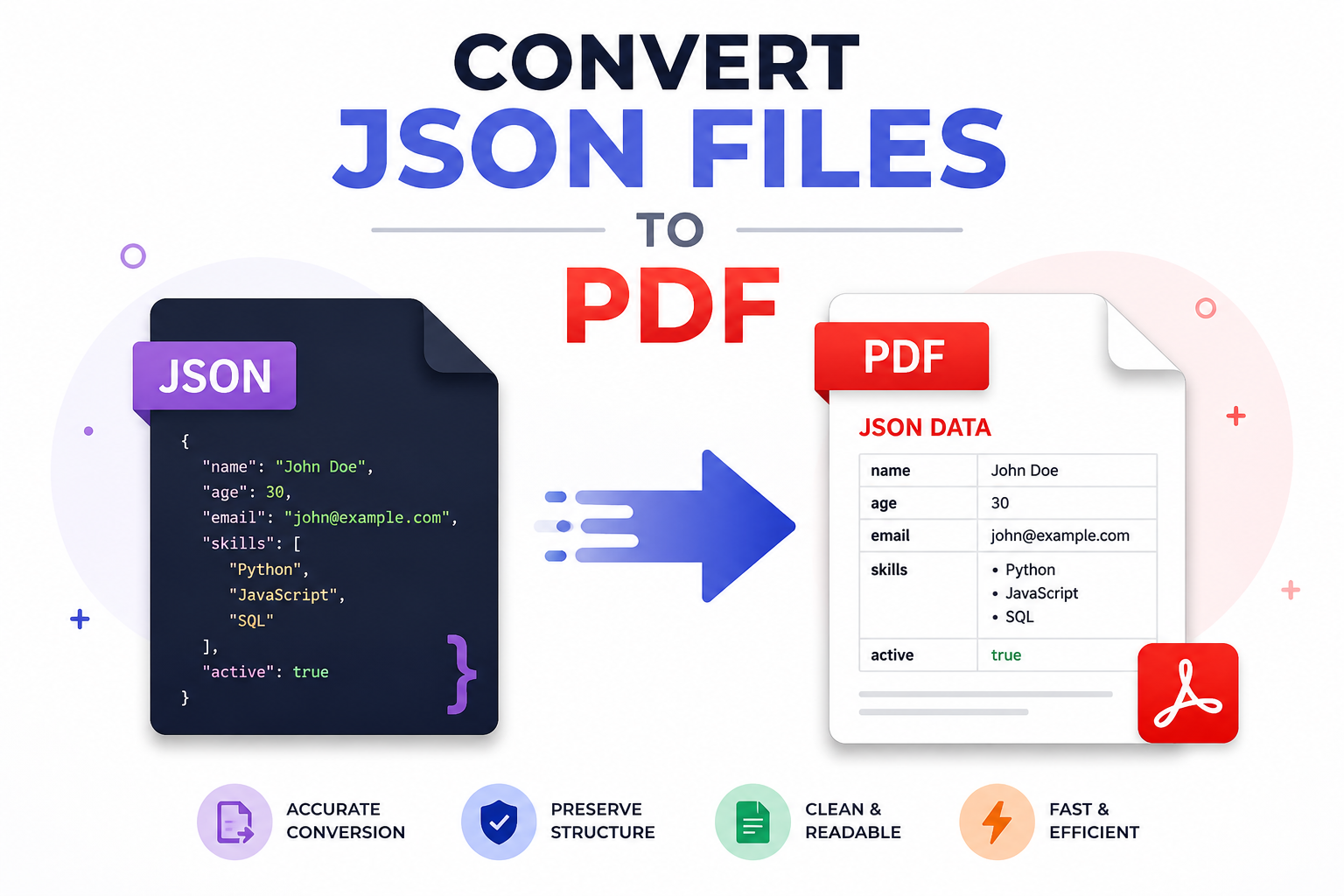
Do you have complex JSON files and want to convert them into PDF format? If it sounds right, then you are on the right page. This blog is going to explain the best methods to convert JSON to PDF using Python Code, online tools, and automated solution for handling large and nested data files. Read the complete article, and then choose the right approach according to your choice.
Many users work with JSON because it helps to exchange information between applications, and its key-value pairs organize the data more efficiently. However, PDF is the best readable format which create a structured data easy to read, analyze, and understand. Now, let’s move on to the discussions.
Why Need to Convert JSON File to PDF Format?
JSON files are useful for storing structured data, but they are not always suitable for every user. In this situation, converting JSON file into PDF format helps complex and nested data to become more accessible. Here are some reasons why you need to convert JSON data to PDF:
- Presentation & Readability: This conversion makes raw data into a clean and easy-to-read format, which helps users to present data more effectively.
- Quick Document Sharing: PDF files are usually accepted by all platforms and can be easily shared using email. It allows users to open them instantly without needing tools.
- Data Security: It also provides security features like passcode protection and editing restrictions. It ensures that confidential data remains secure.
- Easy Printing: When you convert JSON file to PDF, it becomes an ideal choice for printing data as it maintains layout and alignment.
- Maintains Formatting: Once conversion is done, PDF preserves the original structure of data. It improves the appearance of document across various devices and platforms.
Overall, converting JSON file to PDF format is the best solution to work with deeply nested and complex JSON files. Now, let’s move down to understand the instant solution.
How to Convert JSON File to PDF? Instant Technique
- Run the SysTools JSON Converter Tool and install it on your machine.
- Add JSON Files & Folders in bulk.
- Select PDF as the desired file format for the conversion.
- Now, set the destination path and click on Export button.
- Finally, tap on View Report to open PDF file.
Can I Convert JSON File to PDF Format?
Yes, it is possible to convert JSON data to PDF using various methods, depending on your needs. This makes the entire data more readable and presentable for users who are not familiar with technical knowledge or nested file structures. JSON is machine-friendly and used to store raw data. Changing it into PDF file format helps to fulfill the gap by converting raw data to organized format.
When you convert JSON data to PDF file, it improves accessibility of the document and allows users to share information across various platforms effortlessly. It represents complex information more professionally. Additionally, many of you search to convert JSON file to PDF securely. So, explore in the section below.
How to Convert JSON File to PDF Document? 3 Top Methods
Here we reach the section in which we will discover the three best methods to convert data from JSON to PDF format in a hassle-free way. However, JSON contains raw, complex, and nested data. Choosing the right and best approach enables users to convert JSON file to PDF efficiently. Here are the three solutions:
- Use Programming Libraries.
- Try a Professional-Grade Solution.
- Use Free Online Tools.
In short, each solution offers its own advantages and disadvantages. By understanding all three methods properly, you can easily select the option to transform JSON into PDF document. Now, let’s understand each technique in detail. \
#1 How to Convert JSON Data into PDF File – Code – Based Solution
If you are a developer or technical user, programming is the best way for JSON to PDF conversion as it provides complete control over the process. By using programming libraries like Python, users can maintain data and design the layout of PDF exactly as required. Follow the steps given below:
- Load and upload the JSON file.
- Transfer the data into structured format.
- Use any libraries to generate PDF file.
- Customize the layout properly.
- Lastly, save the new PDF file.
Advantages:
- Provides flexibility and customization options.
- Suitable for handling complex and nested data.
- Quickly automate repetitive tasks.
Disadvantages:
- It can be time-intensive, especially for non-technical users.
- Always requires technical expertise when converting a JSON file to PDF.
- It can increase the risk of being error-prone.
#2 How to Convert JSON File to PDF Format – Expert Solution
Many users need a secure and reliable solution to transform JSON data into PDF file. Download the SysTools Pro utility, the right way to (transform JSON to PDF) format. It is among the official and best tools for making conversion. This advanced software converts deeply nested, raw, and complex JSON files in just a few clicks. It is developed for both Windows and macOS systems, including the latest versions.
Moreover, this powerful and standalone software is capable of converting JSON file into PDF in bulk mode. Its robust features make the entire process effortless. This software preserves both file integrity and privacy of sensitive data. Also, there is no need for technical knowledge to perform the conversion task.
Quick Steps to Transform JSON to PDF
- Download and run the software on your system.
- Click to Add File & Folder to upload JSON file.
- Select PDF as the file format.
- Choose location path by clicking in Change icon.
- Click on the Export button to start the process.
- Lastly, hit on View Report to open a new PDF file.
Key Features of Using Advanced Approach
- Supports batch mode to transform multiple JSON files.
- Maintains original folder structure and formatting during process.
- Provides user-frienly interface suitable for all users.
- Do not require a stable internet connection for performing conversion.
- Allow users to customize the features of the tool by contacting support team.
#3 Convert JSON File to PDF – Try Free Online Tools
To convert JSON data to PDF document for free, many free online websites are available. Using these free solutions, you can save time with no data loss. Moreover, it helps to convert small and simple JSON files into PDF format quickly. From an easy interface to handy features, it covers everything. For beginner users, the tool might help complete tasks. Now, follow the working step for how to convert JSON file to PDF using free online platforms:
- On the web, open free online websites.
- Load and upload JSON data using file icon.
- Click on Convert button and wait for it to finish.
- Download the converted PDF report or file.
PROS:
- No need to install third-party tools.
- Easily convert small JSON files.
- Works on any device with a stable connection.
CONS:
- File size restrictions using online tools
- High risk and chances of data loss.
- Formatting errors during conversion.
Why Choose Offline Solutions Over Online Tools
Working with large and complex data files requires a solution you can trust. Online tools offer a quick way to convert JSON to PDF format, but also come with some limitations, such as file size limits, a stable internet connection, and no privacy concerns. On the other hand, offline solutions like SysTools eliminate these problems by allowing users to perform conversion tasks directly on their local system.
Moreover, the main advantage of using offline tools is it provide complete control and handle raw and deeply nested JSON files more efficiently while preserving file accuracy. The offline solution SysTools also provides advanced customization options and 24*7 technical support to both technical and non-technical users. Choosing an offline method to convert JSON format to PDF is the best way to manage structured JSON files.
Time to Wrap Up!
In the above guide, we have covered three different and best techniques to convert JSON file to PDF effortlessly. Using manual methods like Python and online tools is easy to use but also comes with some limitations that can be error-prone. So, we suggest you choose an automated solution that is designed to convert JSON file to PDF format securely. This professional solution makes the conversion process simple and streamlines the workflow. Now, choose the methods that best fit your requirements.
Read More: Link Build SEO Services