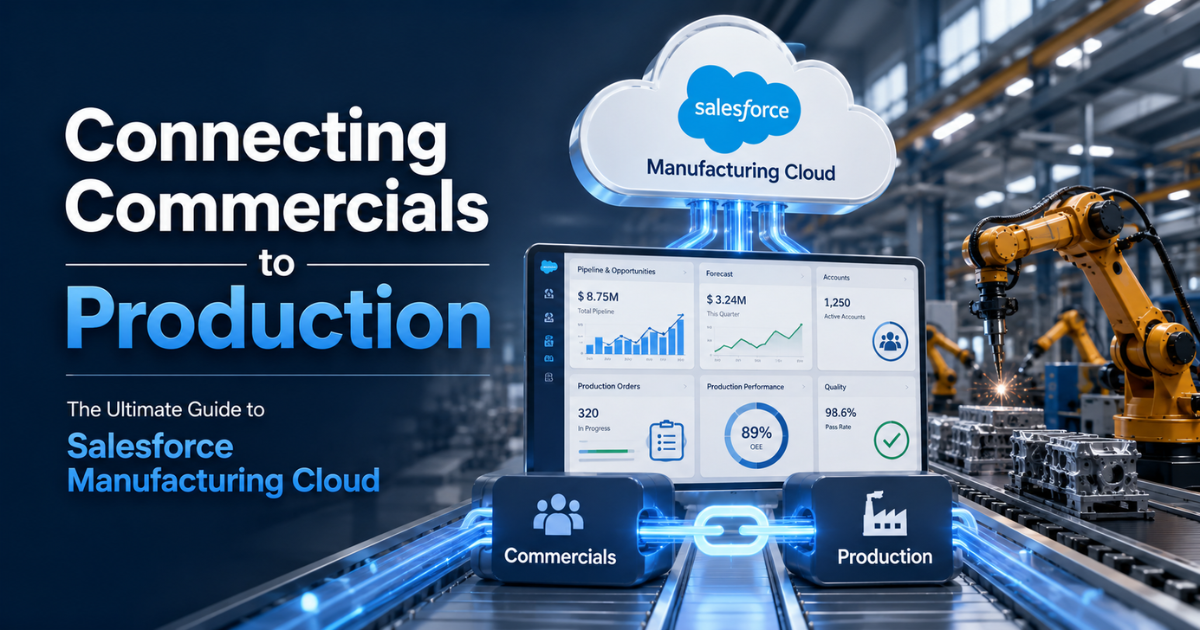
Manufacturing companies face a persistent problem. A deep disconnect separates sales offices from factory floors. Sales teams close deals based on market demand. Production teams build products based on capacity constraints. When these two units work in isolation, inventory costs rise. Customer trust drops.
Traditional Customer Relationship Management (CRM) tools track transactions. They do not handle production schedules. Enterprise Resource Planning (ERP) tools track inventory. They do not capture early sales discussions. Salesforce Manufacturing Cloud bridges this gap. This specialized platform connects sales agreements with operational capacity.
The Core Challenge of Run-Rate Business
Most manufacturers depend on run-rate business. These are long-term agreements for steady product delivery over time.
1. Why Standard CRMs Fail
Standard CRMs handle short, transactional sales cycles. A sales representative closes an opportunity, and the job ends. Run-rate business demands continuous management. A customer might commit to 10,000 units over 12 months. Standard CRMs cannot track if the client buys 800 units in month one and 1,200 units in month two.
2. The Problem with Spreadsheets
Operations teams often track these run-rate volumes in offline spreadsheets. Data becomes old immediately. Sales teams remain blind to factory backlogs. Production teams remain blind to upcoming pipeline spikes. This lack of visibility leads to stockouts or excess inventory. According to industry studies, operational misalignment between sales and production planning causes massive supply chain waste.
Key Features of Salesforce Manufacturing Cloud
The platform introduces specific tools to solve these industry problems. It converts unpredictability into visible data.
1. Sales Agreements
Sales Agreements unify data from your commercial deals and your ERP system. This feature allows teams to track the continuous health of long-term contracts.
- Committed vs. Actual Volumes: Users define planned quantities and prices across specific time intervals. The system pulls actual order data directly from the ERP.
- Real-Time Compliance Tracking: The platform calculates variances automatically. If a customer slips below their agreed volume, account managers see the dip instantly.
- Automated Renewal Metrics: Historical agreement data helps teams negotiate better terms during contract renewals.
2. Advanced Account Forecasting
Production teams need accurate demand data to buy raw materials. Advanced Account Forecasting combines multiple internal data sources to create a single forecast.
- Complex Data Inputs: The forecasting engine ingests sales opportunities, active sales agreements, and historical market trends.
- Account Hierarchy View: Large industrial companies often sell to multiple subsidiaries. The platform rolls up sub-account forecasts into a master forecast.
- Custom Metrics: Finance and operations teams can configure custom columns for revenue, quantity, or local currency.
3. Data Processing Engine
Manufacturing data volumes are massive. The Data Processing Engine (DPE) is a high-performance tool that processes these large datasets inside the platform. DPE definitions run scheduled flows to calculate actual orders, refresh forecast matrices, and aggregate product categories. This tool prevents system slowdowns during heavy data processing cycles.
Connecting Commercials to Production
True alignment requires real-time data exchange between front-office sales and back-office operations.
The ERP Integration Link
Salesforce Manufacturing Cloud does not replace your ERP. It extends your ERP. Integration tools connect systems like SAP, Infor, or Epicor directly to Salesforce. Research shows that integrating Salesforce with an ERP reduces order processing times by 30% to 50%.
When a closed deal in Salesforce converts to an ERP order, fulfillment triggers immediately. This tight loop ensures that production managers schedule lines based on validated commercial demand.
Better Inventory Management
When you connect commercial workflows to production tools, inventory management improves. Sales representatives gain visibility into live warehouse stock levels. They avoid promising delivery dates that the factory cannot meet. Customer service agents view the manufacturing status of specific batches without switching screens.
Tangible Business Value and ROI
Investing in industry-specific software requires clear financial justification. Salesforce Manufacturing Cloud Solutions deliver measurable returns across operations.
Proven ROI Metrics
Data from a Forrester Total Economic Impact study shows that organizations using Salesforce for manufacturing achieved an average 354% Return on Investment (ROI). This high return stems from reduced operational errors and better resource utilization.
| Performance Metric | Typical Improvement | Business Impact |
| Sales Forecast Variance | 20% to 30% Reduction | Lower raw material storage costs |
| Order Processing Time | 40% Acceleration | Faster time-to-market for finished goods |
| Warranty Claim Processing | Up to 60% Automation | Reduced administrative labor costs |
| Service Case Resolution | 20% Faster | Improved customer retention rates |
Financial Benefits
Accurate forecasting directly reduces safety stock requirements. Manufacturers do not need to tie up cash in excess raw materials. Accurate data also prevents emergency shipping fees, which companies pay when they rush components to meet unexpected orders.
Expanding to Service and Asset Management
The connection between commercials and production extends past the initial sale. Modern manufacturing requires excellent aftermarket care.
Warranty Lifecycle Management
Managing warranties across complex machinery presents difficulties. The platform contains a robust framework for warranty administration.
- Product-Level Terms: Administrators define specific coverages for individual parts or complete assemblies.
- Claims Adjudication: Service teams automate the intake and review of distributor claims. This automation reduces payment errors.
- Supplier Recovery: If a component fails due to a supplier defect, the system tracks the recovery claim to recoup costs.
Asset Service Lifecycle
The system tracks the exact history of every machine deployed in the field. It links assets to specific accounts, contacts, and maintenance records. Service technicians use near real-time visibility to plan part transfers. This visibility improves first-time fix rates on broken equipment.
Partner Ecosystem Collaboration
Manufacturers rarely sell entirely direct. They rely on networks of distributors, dealers, and independent brokers.
1. Partner Visit Management
Sales managers spend significant time visiting distributor locations. The Partner Visit Management tool organizes these field trips directly within the CRM. Managers schedule visits, execute performance checklists, and conduct product training sessions. During the visit, they review sales agreement compliance and push for upcoming renewals.
2. Rebate Management
Complex rebate structures incentivize distributors to buy more products. The platform tracks these financial incentives automatically. It processes volume-based rebates, growth rebates, and ship-and-debit programs. Distributors view their incentive status through secure portals. This transparency eliminates disputes regarding payout calculations.
Technical Implementation Best Practices
Implementing an enterprise platform requires careful architectural design. Successful deployments follow specific guidelines.
1. Define Your Source of Truth
Avoid data conflicts by assigning one master system for each data type. For instance, make Salesforce the source of truth for customer accounts, sales agreements, and opportunities. Make the ERP the source of truth for part numbers, pricing sheets, and actual shipment volumes.
2. Prioritize Data Quality Over AI
Many companies rush to deploy advanced AI agents like Agentforce. However, AI requires clean data models to function correctly. Focus first on cleansing your legacy data. Remove duplicate records. Standardize your stock-keeping unit (SKU) naming conventions before activating automated workflows.
3. Take an Iterative Approach
Do not try to integrate every global factory line at the same time. Start with one high-impact product family or geographic region. Measure your progress within 90 days. Gather feedback from account managers and production schedulers. Scale the system globally only after refining the initial setup.
Conclusion
True operational efficiency requires absolute alignment between commercial teams and production facilities. Salesforce Manufacturing Cloud eliminates data silos. It replaces fragmented spreadsheets with unified Sales Agreements and Advanced Account Forecasting.
By connecting customer demand to factory capacity, companies protect their profit margins. They reduce inventory waste and improve delivery accuracy. Embracing these Salesforce Manufacturing Cloud Solutions prepares your business for an efficient, data-driven future.