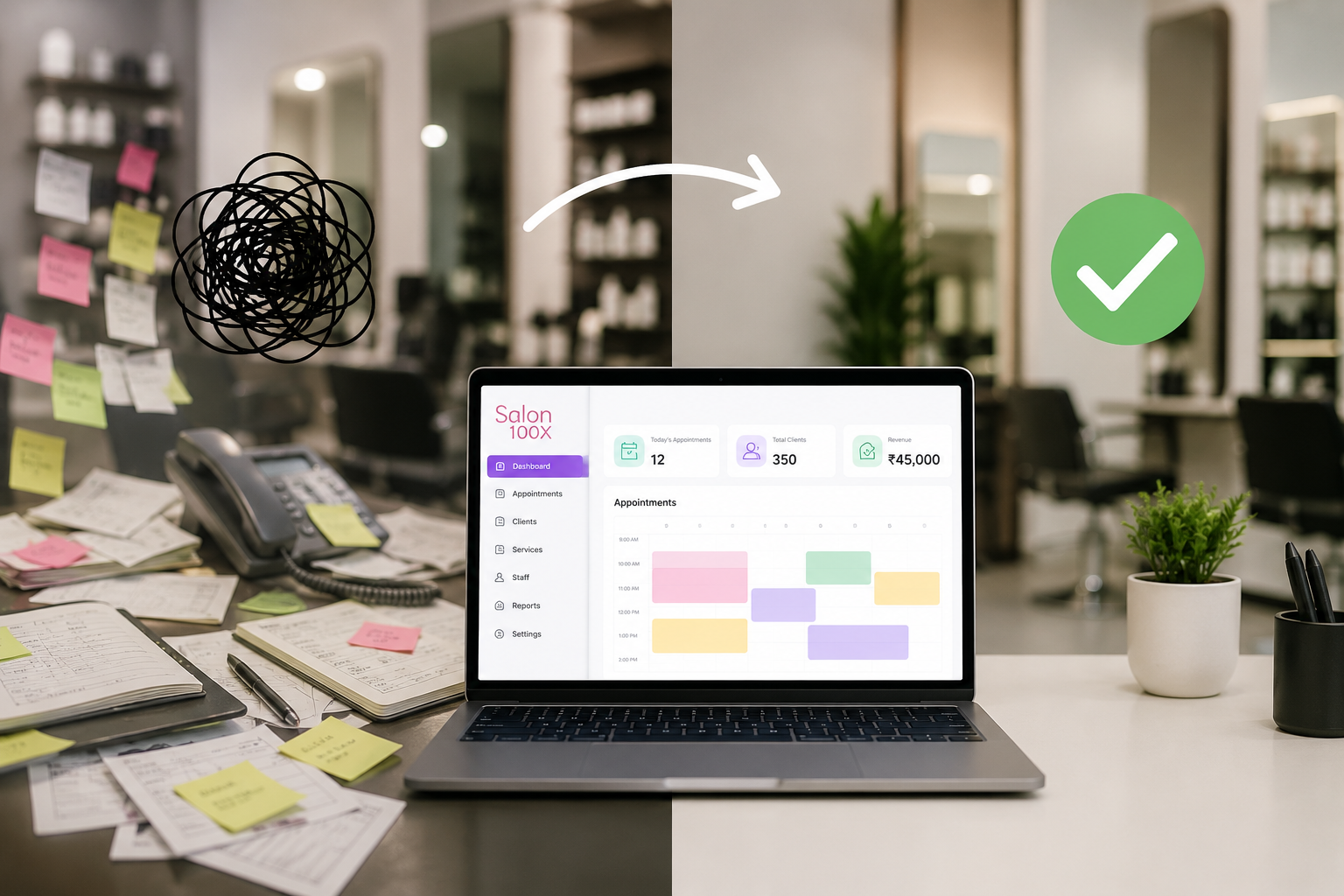
Walk into most salons on a Saturday and you’ll see the same scene: the front desk juggling three phone calls, a stylist flipping through a paper appointment book looking for a gap, and someone in the back trying to remember if they reordered the developer. Nobody’s incompetent. The systems just aren’t built for the volume they’re handling.
This is the gap between a salon that feels busy and a salon that’s actually running well. The difference usually isn’t talent or effort — it’s whether the daily operations have any structure behind them at all.
Why “Chaos” Isn’t Really About the People
It’s tempting to blame chaotic days on staff who “just need to be more organized.” But ask any front-desk coordinator managing bookings on a paper calendar and a separate notebook for client notes, and you’ll hear the same thing: there’s no way to be organized when the tools themselves scatter the information across five different places.
The appointment book doesn’t talk to the inventory list. The inventory list doesn’t talk to the payroll spreadsheet. Client preferences live in someone’s memory, and if that person calls in sick, the knowledge goes with them. That’s not a discipline problem. That’s a systems problem, and it needs a systems solution.
1. One Calendar Instead of Five
The single biggest daily win from software is consolidation. Every stylist’s schedule, every service duration, every walk-in slot — all in one place, visible to everyone at once. No more calling across the salon to ask “is 2pm open?” No more double-booked chairs because two people wrote in the same paper slot.
This alone tends to cut daily scheduling friction dramatically, simply because there’s one source of truth instead of several competing ones.
2. Client History Travels With the Client, Not With Staff Memory
A new employee shouldn’t mean starting from zero with every returning client. When allergy notes, color formulas, and past service history are stored in the system, any stylist can pick up where the last one left off. That protects the client experience even during staff turnover, which is one of the most common points where salons quietly lose repeat business.
3. Automated Reminders Remove a Daily Task Nobody Wants
Manually calling or texting every client to confirm tomorrow’s appointment is a job in itself — and it’s usually the first thing that gets skipped when the front desk gets busy. Automated reminders handle it in the background, consistently, every single day, regardless of how hectic the floor gets.
4. Inventory Stops Being a Surprise
“We’re out of that” is one of the most common sentences in a disorganized salon, usually said mid-appointment when it’s too late to do anything about it. A system that tracks stock levels and flags reorders before they hit zero turns inventory from a daily fire drill into a background process that just works.
5. Checkout Takes Seconds, Not Minutes
A slow, manual checkout — writing up a paper receipt, calculating totals by hand, guessing at commission splits — creates a bottleneck at exactly the moment clients are forming their last impression of the visit. Integrated POS checkout collapses that into a few taps, which keeps the front desk line moving and the day on schedule.
6. Staff Know Exactly What They’re Doing and When
Confusion about who’s covering which client, or which stylist has a gap to squeeze in a walk-in, creates friction that clients can feel even if they can’t name it. A shared, always-current schedule removes the guesswork, and staff spend less time asking each other questions and more time actually working.
7. Reports Replace Guesswork About What’s Working
Instead of a vague sense that “Tuesdays are usually slow” or “retail sales have been off lately,” software gives you actual numbers — by day, by stylist, by service. That data doesn’t just help with revenue decisions down the road; day-to-day, it tells you where to actually focus your attention instead of reacting to whichever fire is loudest.
This is really the backbone of any serious Salon Business Growth Platform — daily operations run smoother precisely because decisions are based on what the numbers show, not on whoever’s loudest opinion in the morning huddle.
8. Multi-Location Owners Get Consistency Across Sites
If you operate more than one location, chaos multiplies fast without shared systems — one site tracking things differently from another means you’re managing five separate small businesses instead of one cohesive brand. A unified system standardizes daily operations so a client experience at Location A matches Location B, and so do the reports you’re reading each morning.
9. Onboarding New Staff Takes Days, Not Weeks
New hires figuring out a salon’s quirks — where the paper schedule lives, which notebook has client notes, how commission is actually calculated — slows everyone down and often means new employees make avoidable mistakes in their first weeks. A documented, software-based system means new staff can be productive almost immediately, because the process is the same regardless of who’s running it.
10. Owners Get Their Time Back
Maybe the most underrated benefit: owners who used to spend evenings reconciling receipts, texting reminders manually, or untangling a scheduling mix-up get that time back. Less firefighting means more room to actually think about growth instead of just surviving the week.
Where the Real Transformation Happens
None of these are individually dramatic. No single feature turns a chaotic salon into a calm one overnight. But stacked together, they remove dozens of small daily frictions — the kind that don’t look like much on their own but add up to a business that constantly feels like it’s one step behind.
That’s the real story behind Salon Software Growth Strategies — the transformation from chaos to control isn’t one big change, it’s a lot of small ones happening consistently, every single day.
Salon100x was built around exactly that idea: not adding more tools to manage, but removing the daily friction that makes salon ownership feel harder than it needs to be.
Getting Started
If your days feel like a constant scramble, start small. Consolidate the calendar first. Add automated reminders next. Layer in inventory tracking and reporting once the basics are running smoothly. You don’t need to overhaul everything at once — you just need to stop the daily leaks one at a time.
FAQ
How long does it take to see less daily chaos after switching to salon software?
Most salons notice a difference within the first two weeks, mainly from consolidated scheduling and automated reminders — the two changes that touch daily operations most directly.
Will staff resist switching from paper to software?
Some initial adjustment is normal, but most staff adapt quickly once they realize it removes tasks they didn’t enjoy doing manually, like confirming appointments or calculating checkout totals by hand.
Do I need software if I only have one or two chairs?
Yes — smaller salons often feel chaos more acutely because there’s no backup staff to absorb a scheduling mistake or a missed reminder.