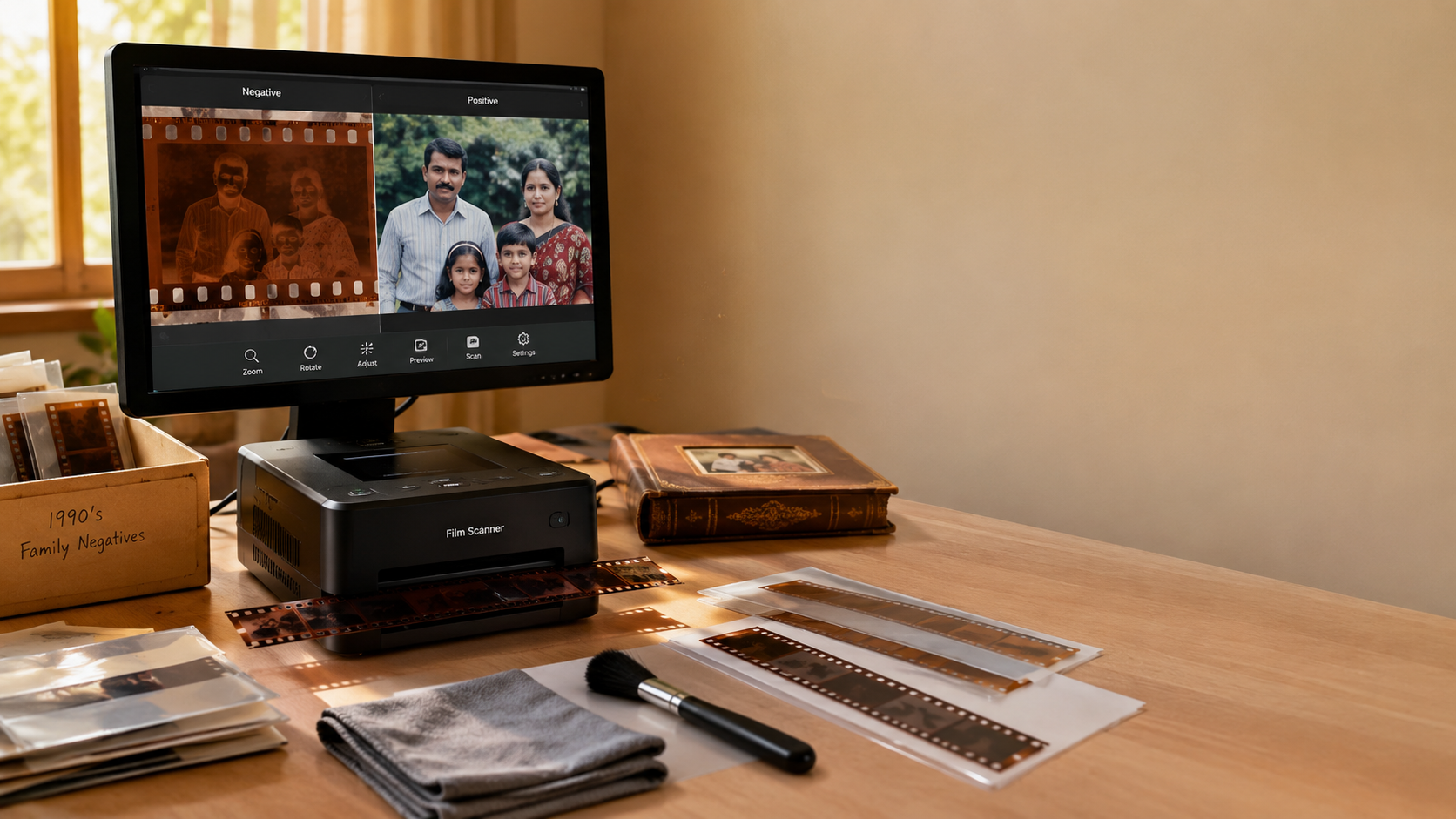
Somewhere in your home, there’s probably a shoebox, a drawer, or a dusty album full of strips of film. Birthdays, weddings, road trips, ordinary Sunday afternoons — all captured decades ago and never seen since. If you’ve been putting off doing something about it, 2026 is a good year to stop waiting.
This guide walks through everything you need to know: what film negatives actually are, how to scan them yourself, and how to choose a scanner that won’t leave you frustrated halfway through the box.
First, What Are You Actually Working With?
Before you buy anything or scan a single frame, it helps to understand what are film negatives in the first place. Negatives store an inverted version of the image — light areas appear dark and colors are reversed — which is why they look strange held up to a window. That inversion gets flipped back to a normal photo either in a darkroom or, these days, automatically by scanning software.
Most home collections are 35mm, the standard consumer format from the 1960s through the early 2000s, though you may also come across 110 film, 126 film, or medium format negatives mixed in.
Why Bother Digitizing Them Now?
Film doesn’t wait. Heat, humidity, dust, and time all work against it, and once a negative fades, warps, or grows mold, there’s no getting that image back. Digitizing early is the only real insurance policy your family photos have.
There’s also a simpler reason: negatives sitting in a drawer are essentially invisible. Nobody owns a projector or a light table anymore. Scanning them turns forgotten frames into photos you can actually look at, share, and print.
How to Scan Negatives at Home
The process is more approachable than most people expect. If you want the full walkthrough — cleaning, loading, resolution settings, and saving — our detailed guide on how to scan negatives covers each step in order. The short version:
- Clean the film first. Dust shows up as bright white specks once you’re scanning at any real resolution, so a soft brush or a blast of compressed air goes a long way.
- Load it correctly. Negatives sit in a film holder, emulsion side down, flat and properly aligned — a crooked or bent strip means a blurry scan.
- Pick the right settings. Match the software to your film type (color negative, black and white, or slide) and choose a resolution that fits your goal — roughly 2400 DPI is plenty for family archives, while 3200–4000 DPI suits large prints or heavy cropping.
- Preview before committing. Check framing, exposure, and dust before running the full scan.
- Save smart. TIFF for your archival master, JPEG for everyday sharing.
Patience matters more than horsepower here. A slow, careful scan will always beat a rushed one.
Choosing the Right Scanner
This is where most people get stuck, because “best” depends heavily on what you’re trying to do.
If you’re working with a tight budget and a modest collection, it’s worth reading up on the best budget film scanner 2026 has to offer — you don’t need professional-grade equipment to get results that hold up on a modern screen or a standard print.
If image quality and long-term archiving are the priority, our roundup of the best film scanner 2026 breaks down the standout options by resolution, ease of use, and how well they handle large collections without a steep learning curve.
A few things worth checking regardless of budget:
- Optical resolution (not interpolated) — this is what actually determines detail.
- Film format support — confirm it handles what you actually own, not just 35mm.
- Ease of use — a built-in preview screen and one-touch scanning save real time on a big collection.
- File output — TIFF for preservation, JPEG for sharing.
Don’t Let the Box Win
None of this has to happen in one weekend. Start with a single roll — clean it, scan it, and see how it turns out. Once you’ve watched a decades-old memory reappear on your screen, working through the rest of the collection tends to stop feeling like a chore.
Your negatives have already survived this long. With the right scanner and a little care, they’ll last a lot longer than the box they’re sitting in.