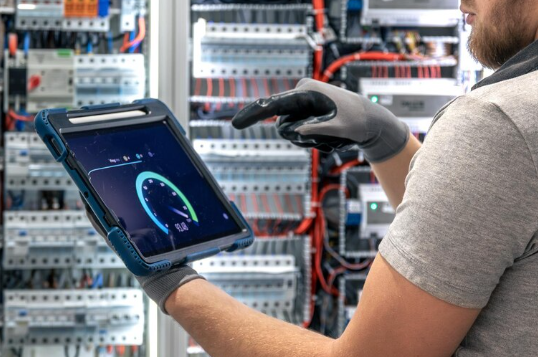
Meter rooms rarely make anyone’s day easier. Rows of units, tight schedules, and no room for error, that’s the reality for most field technicians. Opening each meter physically to check consumption data simply isn’t practical, and in many cases, it’s not even allowed. This is exactly the gap the Electricity Meter IR Interface fills. It uses infrared light instead of wires or exposed terminals, letting a probe or reader pull data from a meter in seconds, without breaking any seal or touching a live connection.
This small optical window has become a standard feature on most modern meters, and for good reason. It turns what used to be a slow, manual process into something quick and repeatable. This blog walks through how the interface actually works, which optical probes pair well with it, and how technicians use it to read meters faster without sacrificing accuracy. By the end, the technology behind this unassuming little port should feel a lot more familiar.
How Does an Electricity Meter IR Interface Actually Work?
Most meters designed for remote or semi-remote reading include a dedicated optical zone on the faceplate. Rather than relying on physical contact, this zone uses light pulses to send and receive information, which keeps the entire exchange contactless.
IR Port: Look closely at a meter’s faceplate and there’s usually a small round window — sometimes color-coded — showing exactly where the probe needs to go. It’s easy to miss if you don’t know to look for it.
Optical Coupling: Once the probe finds that spot, it doesn’t just balance there loosely. A magnetic ring usually pulls it into place, sealing off a clean light path between the probe and the meter so nothing interferes with the signal.
Protocol Data: Behind the scenes, the data being exchanged follows a set structure, most often IEC 62056-21 or ANSI C12.18. These standards basically decide how the information gets packaged before it moves between the meter and the reading device.
Signal Direction: Data moves both ways. Commands are sent into the meter, and readings are sent back out, all through the same optical channel.
Meter Compatibility: Since meters don’t all speak the same protocol, matching the right reading device to the right meter model matters more than most people assume.
For technicians who read meters regularly, a probe capable of handling both IEC and ANSI protocols tends to make life considerably easier. It removes the hassle of switching hardware every time a different meter brand shows up on the route.
Which Optical Probes Work Best With an Electricity Meter IR Interface?
Understanding how the interface works is only half the picture. The other half is choosing a probe that actually fits the job at hand, and that depends on the meter type, the working environment, and how the data needs to move afterward.
USB Probes: Wired connections that provide steady, reliable transfer, well suited for lab checks or desk-based verification.
Bluetooth Probes: Wireless probes that pair with a phone or tablet, making them a practical choice for rooftop meters, tight closets, or anywhere a cable would get in the way.
RS232 Probes: Still useful for older AMR systems built around serial communication rather than wireless technology.
IP Rating: Field-ready probes with IP67-rated housings can handle rain, dust, and the general rough handling that comes with outdoor work.
Protocol Support: A probe built to read both IEC and ANSI formats allows one device to manage a mixed meter fleet without carrying backup hardware.
For teams covering a large or varied service area, choosing a probe designed specifically around the electricity meter IR interface, one with dual-protocol support and rugged build quality, tends to simplify daily operations noticeably. It keeps the workflow consistent no matter which meter model appears next.
How Does an Electricity Meter IR Interface Actually Work?
Reading meters across an entire route in a single shift takes more than just patience. It takes a process that doesn’t slow down, no matter how many meters are left on the list. This is where the right optical hardware makes a visible difference.
Quick Alignment: Magnetic probe housings snap onto the meter’s optical port almost instantly, saving a few seconds on every single read that add up fast across dozens of meters.
Wireless Readings: Bluetooth-enabled probes let technicians stand back slightly, which comes in handy in cramped or awkward meter locations.
Field Durability: Because of the long battery life and sturdy casings, there will be fewer disruptions when spending a whole day outdoors in the field.
Software Compatibility: With probes that work directly with AMR or billing software, no manual entry is needed, which is typically where errors tend to come from.
Large Amount of Data: Some probes are capable of holding many readings, thus allowing the technicians to send all of the information together at once, as opposed to each meter individually.
Final Thoughts
At its core, the Electricity Meter IR Interface is a simple idea done well: a safe, contactless way to read meter data using light instead of wires. But the real value comes from the probe paired with it. The right one supports multiple protocols, survives outdoor conditions without complaint, and fits naturally into a technician’s daily routine.