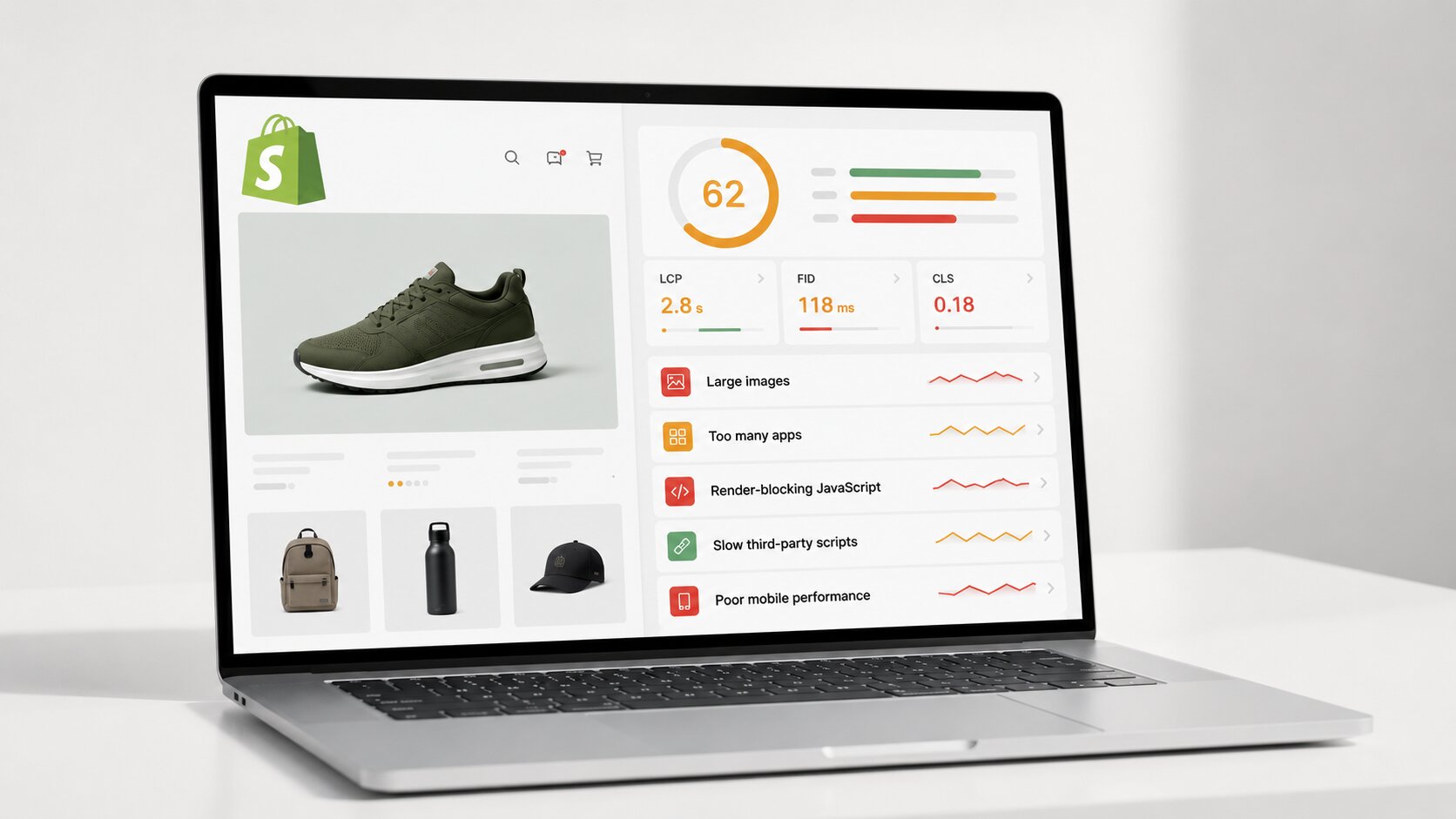
Running a successful Shopify store is not just about products and design anymore. Speed plays a major role in user experience, conversions, and overall store performance, which is why many e-commerce brands now focus closely on improving Shopify Core Web Vitals.
The good news is that most Shopify speed issues are common and fixable. Below, we have covered some of the most frequent performance problems found in Shopify stores and practical ways to resolve them.
Common Shopify Speed Issues That Affect Store Performance
From oversized images to excessive apps and heavy scripts, several common issues can slow down a Shopify store and impact Shopify Core Web Vitals. Below, we have covered the most frequent performance issues along with practical ways to fix them.
Heavy and Unoptimized Images
One of the major causes of slow Shopify stores is oversized images. High-resolution product photos may look impressive, but they can significantly slow down page loading, especially on mobile devices.
Many stores upload images directly from cameras or design tools without compressing them first. Large image files increase page weight and delay visual loading.
How to Fix It
- Compress images before uploading them to Shopify
- Use modern image formats like WebP when possible
- Resize images according to actual display dimensions
- Avoid uploading unnecessarily large banner images
Optimized visuals can make product pages load faster while still maintaining image quality.
Too Many Shopify Apps Running Together
Shopify apps are useful, but installing too many can quietly hurt performance. Many apps add extra JavaScript, tracking scripts, popups, and background requests that continue loading even when customers are not using those features.
Performance tests often reveal that unused or outdated apps are still loading code across the website.
How to Fix It
- Remove apps you no longer actively use
- Audit third-party scripts regularly
- Replace multiple small apps with one well-optimized solution when possible
- Test store speed after every major app installation
A reliable website speed optimizer can make it easier to spot unnecessary app scripts and other hidden performance bottlenecks affecting your Shopify store.
Render-Blocking JavaScript and CSS
Another common issue found in Shopify speed audits is render-blocking resources. This happens when scripts or stylesheets load before visible content appears on the screen.
As a result, customers have to stare at blank sections while the browser waits for files to finish loading.
How to Fix It
- Minify unnecessary CSS and JavaScript files
- Delay non-essential scripts until after the main content loads
- Avoid adding multiple animation-heavy plugins
- Reduce dependency on large external libraries
Even small improvements here can create a smoother browsing experience, especially on slower mobile connections.
Poor Mobile Optimization
Many Shopify stores look great on desktops but struggle on smartphones. Since a significant share of ecommerce traffic now comes from mobile devices, performance tests frequently highlight mobile usability issues.
Common problems include oversized banners, intrusive popups, and layouts that shift while loading.
How to Fix It
- Use lightweight mobile-friendly themes
- Keep popups minimal and easy to close
- Avoid oversized sliders and autoplay videos
- Test pages regularly on real mobile devices
Improving mobile responsiveness directly supports stronger Shopify Core Web Vitals performance.
Excessive Use of Custom Fonts
Custom typography can improve branding, but too many font styles and font weights can slow down page rendering. Performance reports often show delays caused by loading several external font files at once.
How to Fix It
- Limit the number of font families used
- Avoid loading unnecessary font weights
- Use system fonts where possible
- Preload critical fonts carefully
Simple typography decisions can reduce load times more than many store owners expect.
Slow Third-Party Tracking Scripts
Analytics tools, live chat widgets, ad trackers, and marketing scripts are common in Shopify stores. While these tools provide valuable data, they can also create performance bottlenecks. Sometimes a single third-party script can delay the entire page.
How to Fix It
- Remove outdated tracking codes
- Use tag managers carefully
- Audit script performance regularly
- Load non-essential trackers after the main content appears
Keeping third-party tools under control helps maintain a balance between marketing functionality and website performance.
Inefficient Shopify Themes
Not all Shopify themes are optimized equally. Some themes include excessive animations, heavy design elements, or bloated code that slows down the entire store. Performance tests often reveal that theme-related issues affect loading speed more than expected.
How to Fix It
- Choose lightweight, performance-focused themes
- Avoid excessive homepage animations
- Keep homepage sections clean and focused
- Regularly update themes for performance improvements
A cleaner theme structure usually improves both user experience and page stability.
Lack of Lazy Loading
Without lazy loading, all images and videos on a page begin loading immediately, even if customers never scroll far enough to see them. This increases initial page load time unnecessarily.
How to Fix It
- Enable lazy loading for below-the-fold images
- Delay loading of videos and large media files
- Prioritize visible content first
Lazy loading is one of the easiest ways to reduce unnecessary resource usage on e-commerce websites.
Why Shopify Core Web Vitals Matter for E-commerce Stores
Improving Shopify speed is not just about technical scores. Faster stores often create smoother customer experiences, which can support:
- Lower bounce rates
- Better product page engagement
- Improved mobile browsing
- Higher checkout completion potential
Google also uses Core Web Vitals as part of its overall page experience evaluation. While speed alone does not guarantee rankings, a fast and stable website creates a stronger foundation for SEO and usability.
For growing ecommerce brands, consistent performance testing helps identify problems before they start affecting customers and revenue.
Final Thoughts
Most Shopify speed issues are fixable once you identify the real performance bottlenecks. Problems like heavy images, excessive apps, bloated themes, and unnecessary scripts can often slow stores down more than the platform itself.
Focusing on practical optimizations and regular performance audits can help create a faster shopping experience, improve usability, and support long-term ecommerce growth.
FAQs
What are Shopify Core Web Vitals?
Shopify Core Web Vitals are performance metrics used to measure page loading speed, visual stability, and responsiveness on Shopify websites. They help evaluate overall user experience.
Why is my Shopify store loading slowly?
Common causes include oversized images, too many installed apps, heavy scripts, unoptimized themes, and slow third-party tracking tools.
Can apps affect Shopify website speed?
Yes. Many Shopify apps add extra scripts and code that continue loading across your store, even when certain features are not actively used.
Does improving website speed help SEO?
A faster website can improve user experience, reduce bounce rates, and support better crawl efficiency, all of which may positively influence SEO performance over time.
What is the easiest way to improve Shopify speed?
Image optimization, app cleanup, lazy loading, and reducing unnecessary scripts are often the quickest and most effective improvements.
How often should Shopify stores run performance tests?
It is a good practice to test store performance regularly, especially after installing new apps, redesigning pages, or making major theme updates.