Industrial automation is evolving rapidly, with organizations striving to improve efficiency, reduce downtime, and manage equipment from anywhere. However, many factories, warehouses, power plants, transportation systems, and utility facilities still rely on legacy serial devices that communicate through RS232 or RS485 interfaces. These devices include PLCs, barcode scanners, industrial sensors, HMIs, energy meters, CNC machines, weighing systems, and environmental monitoring equipment.
While these devices continue to perform reliably, their biggest limitation is the lack of native Ethernet or Internet connectivity. This makes remote monitoring, troubleshooting, and configuration difficult, especially when equipment is installed across multiple locations.
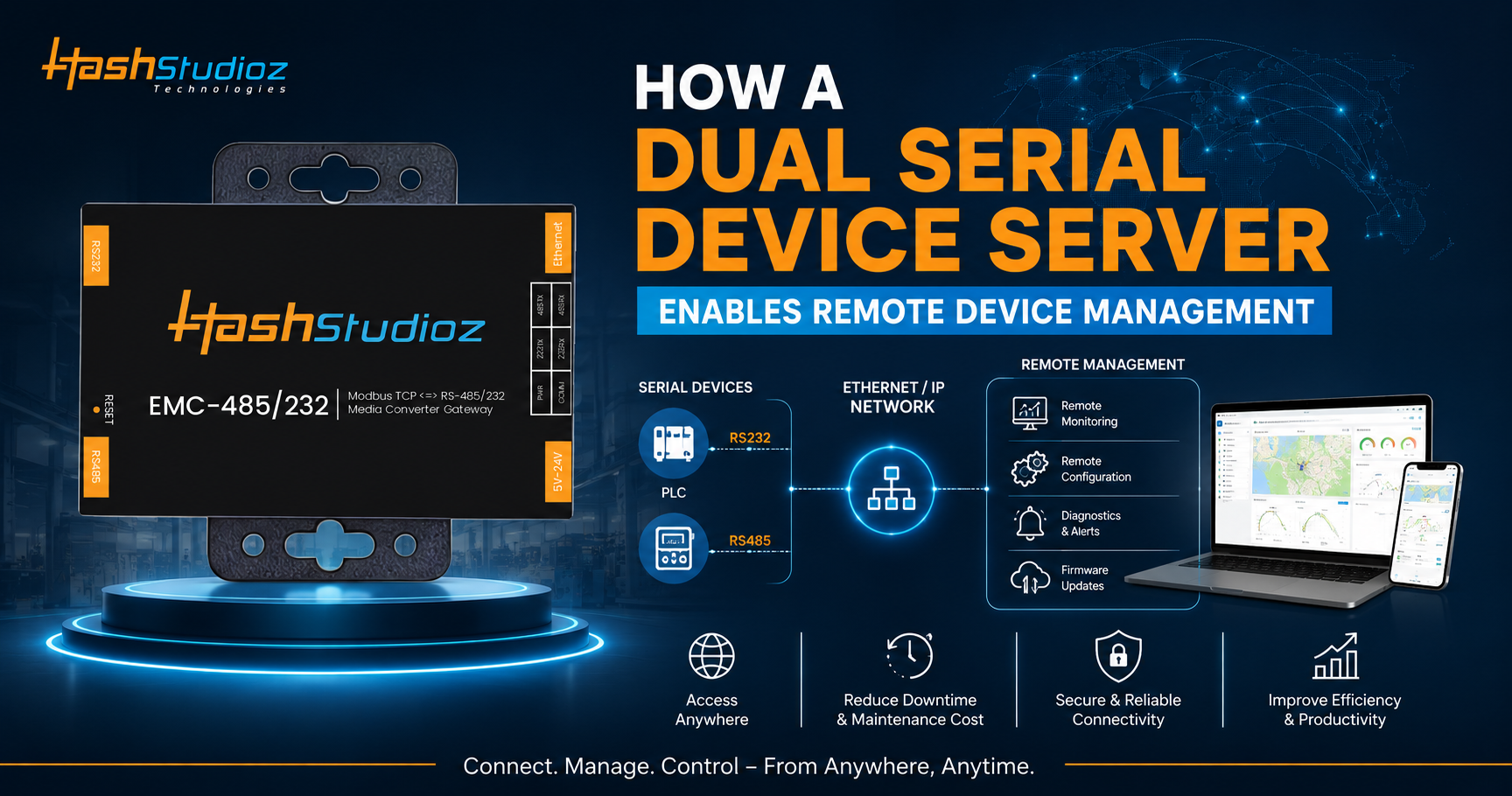
A Dual Serial Device Server bridges this gap by converting serial communication into Ethernet communication, allowing legacy serial devices to become part of modern IP-based networks. This enables engineers and IT teams to monitor, configure, and manage industrial equipment remotely without replacing existing hardware.
What Is a Dual Serial Device Server?
A Dual Serial Device Server is an industrial networking device that connects two serial devices (RS232, RS485, or RS422) to an Ethernet network. Instead of requiring direct physical access, the server converts serial data into TCP/IP packets, enabling communication over Local Area Networks (LANs), Wide Area Networks (WANs), or even the Internet.
Unlike single-port device servers, a dual serial model supports two independent serial interfaces, making it possible to connect multiple devices simultaneously while reducing hardware costs and installation complexity.
Why Remote Device Management Matters
Modern industrial facilities often operate across multiple locations. Sending engineers onsite every time a device requires monitoring or configuration increases maintenance costs and downtime.
Remote device management helps organizations:
- Monitor equipment status in real time
- Diagnose communication problems instantly
- Configure serial devices remotely
- Update firmware without visiting the site
- Reduce maintenance expenses
- Minimize production interruptions
- Improve operational efficiency
- Increase equipment availability
A Dual Serial Device Server makes these capabilities possible by extending serial communication over Ethernet.
How a Dual Serial Device Server Works
The device acts as an intelligent communication bridge between serial equipment and Ethernet networks.
Step 1: Connect Serial Devices
Industrial devices connect through:
- RS232 ports
- RS485 ports
- RS422 ports (depending on the model)
Examples include:
- PLCs
- Energy meters
- Barcode scanners
- Industrial sensors
- HMIs
- CNC machines
Step 2: Data Conversion
The device server receives serial data and converts it into Ethernet packets using TCP/IP protocols.
Instead of communicating only through serial cables, devices become accessible over the network.
Step 3: Ethernet Communication
The Ethernet port connects the device server to:
- Industrial switches
- Local networks
- Enterprise networks
- Cloud gateways
- VPN connections
This enables communication from virtually any authorized location.
Step 4: Remote Access
Engineers can securely access connected equipment through:
- SCADA software
- PLC programming software
- Device management software
- Web interfaces
- Cloud dashboards
- Virtual COM Port applications
The connected serial devices behave almost as if they were directly connected to the engineer’s computer.
Remote Device Management Features
Real-Time Monitoring
Operators can continuously monitor:
- Device status
- Operating parameters
- Sensor values
- Communication health
- Alarm conditions
- Error logs
This enables proactive maintenance before failures occur.
Remote Configuration
Without visiting the installation site, engineers can:
- Change serial settings
- Modify baud rates
- Update communication parameters
- Configure IP addresses
- Adjust device settings
Configuration changes can often be completed within minutes.
Remote Diagnostics
When communication issues occur, technicians can:
- Review error logs
- Check connection status
- Verify data transmission
- Test communication links
- Restart communication sessions
This significantly reduces troubleshooting time.
Virtual COM Port Support
Many Dual Serial Device Servers support Virtual COM software.
This feature allows Windows applications to recognize remote serial devices as local COM ports.
Existing industrial software can continue operating without major modifications.
Firmware Updates
Administrators can remotely:
- Update device firmware
- Install security patches
- Improve functionality
- Fix software bugs
This eliminates the need for onsite upgrades.
Key Communication Modes
A quality Dual Serial Device Server typically supports multiple operating modes.
TCP Server Mode
The device waits for incoming client connections.
Ideal for:
- SCADA systems
- Central monitoring servers
TCP Client Mode
The device actively connects to a remote server.
Common in cloud-based monitoring systems.
UDP Mode
Suitable for applications requiring:
- Fast communication
- Low latency
- Broadcast messaging
Virtual COM Mode
Creates virtual serial ports on remote computers.
Legacy applications continue functioning without modification.
Modbus Gateway Mode
Many industrial device servers support:
- Modbus RTU
- Modbus ASCII
- Modbus TCP
This enables seamless integration between legacy Modbus devices and Ethernet-based automation systems.
Benefits of Using a Dual Serial Device Server
Lower Infrastructure Costs
Instead of replacing legacy equipment, organizations extend the life of existing serial devices.
Reduced Downtime
Remote diagnostics enable faster issue resolution without waiting for field engineers.
Easier Network Expansion
Adding new devices becomes simpler because Ethernet networks are more flexible than serial wiring.
Improved Productivity
Maintenance teams spend less time traveling and more time solving actual problems.
Better Data Accessibility
Operational data becomes available across departments, enabling smarter decision-making.
Increased Scalability
A Dual Serial Device Server allows businesses to gradually modernize infrastructure without replacing every serial device at once.
Industrial Applications
Manufacturing
Factories use device servers to remotely monitor:
- CNC machines
- PLCs
- Robotic systems
- Assembly lines
Energy Management
Utility companies remotely access:
- Energy meters
- Power analyzers
- Transformer monitoring systems
Building Automation
Smart buildings manage:
- HVAC systems
- Access control
- Lighting controllers
- Environmental sensors
Oil and Gas
Remote monitoring is essential for:
- Pipeline equipment
- Pump stations
- Flow meters
- Remote terminal units
Transportation
Applications include:
- Railway signaling
- Traffic controllers
- Ticketing systems
- Passenger information displays
Water and Wastewater
Operators monitor:
- Pump stations
- Water quality sensors
- Flow meters
- Reservoir control systems
Security Considerations
Remote access should always be secure.
Recommended security features include:
- Password authentication
- User access control
- HTTPS management
- SSH access
- VPN connectivity
- Firewall compatibility
- Secure firmware updates
- Event logging
These measures protect industrial networks against unauthorized access.
Choosing the Right Dual Serial Device Server
Before purchasing, consider the following factors:
Number of Serial Ports
Choose a model with enough ports for current and future expansion.
Supported Interfaces
Verify compatibility with:
- RS232
- RS485
- RS422
Communication Protocols
Look for support for:
- TCP/IP
- UDP
- Modbus RTU
- Modbus TCP
- DHCP
- DNS
Industrial Design
Select devices offering:
- Wide operating temperature
- DIN-rail mounting
- Surge protection
- ESD protection
- Metal enclosure
Management Features
Useful features include:
- Web configuration
- Remote firmware upgrades
- Virtual COM software
- Diagnostic logs
Best Practices for Deployment
To maximize performance:
- Assign static IP addresses to critical devices.
- Secure remote access using VPNs or encrypted connections.
- Keep firmware up to date.
- Segment industrial networks using VLANs where appropriate.
- Monitor communication logs regularly.
- Back up configuration files.
- Use industrial-grade Ethernet switches and quality cabling.
Future of Remote Device Management
As Industrial IoT adoption continues to grow, Dual Serial Device Servers will remain essential for connecting legacy equipment to modern digital infrastructures.
Emerging trends include:
- Edge computing integration
- Cloud-based device management
- AI-powered predictive maintenance
- Industrial cybersecurity enhancements
- 5G-enabled industrial connectivity
- Centralized remote management platforms
Organizations that adopt intelligent serial networking solutions today will be better prepared for the factories of the future.
Conclusion
A Dual Serial Device Server is a practical and cost-effective solution for bringing legacy serial devices into modern Ethernet networks. By converting RS232, RS422, and RS485 communications into TCP/IP, it enables real-time monitoring, remote configuration, centralized diagnostics, and simplified maintenance without replacing existing equipment.
Whether deployed in manufacturing, utilities, transportation, building automation, or energy management, a Dual Serial Device Server helps reduce operational costs, improve productivity, and support digital transformation initiatives. As Industrial IoT continues to expand, these devices play a vital role in ensuring reliable, secure, and scalable remote device management while extending the value of existing industrial assets.