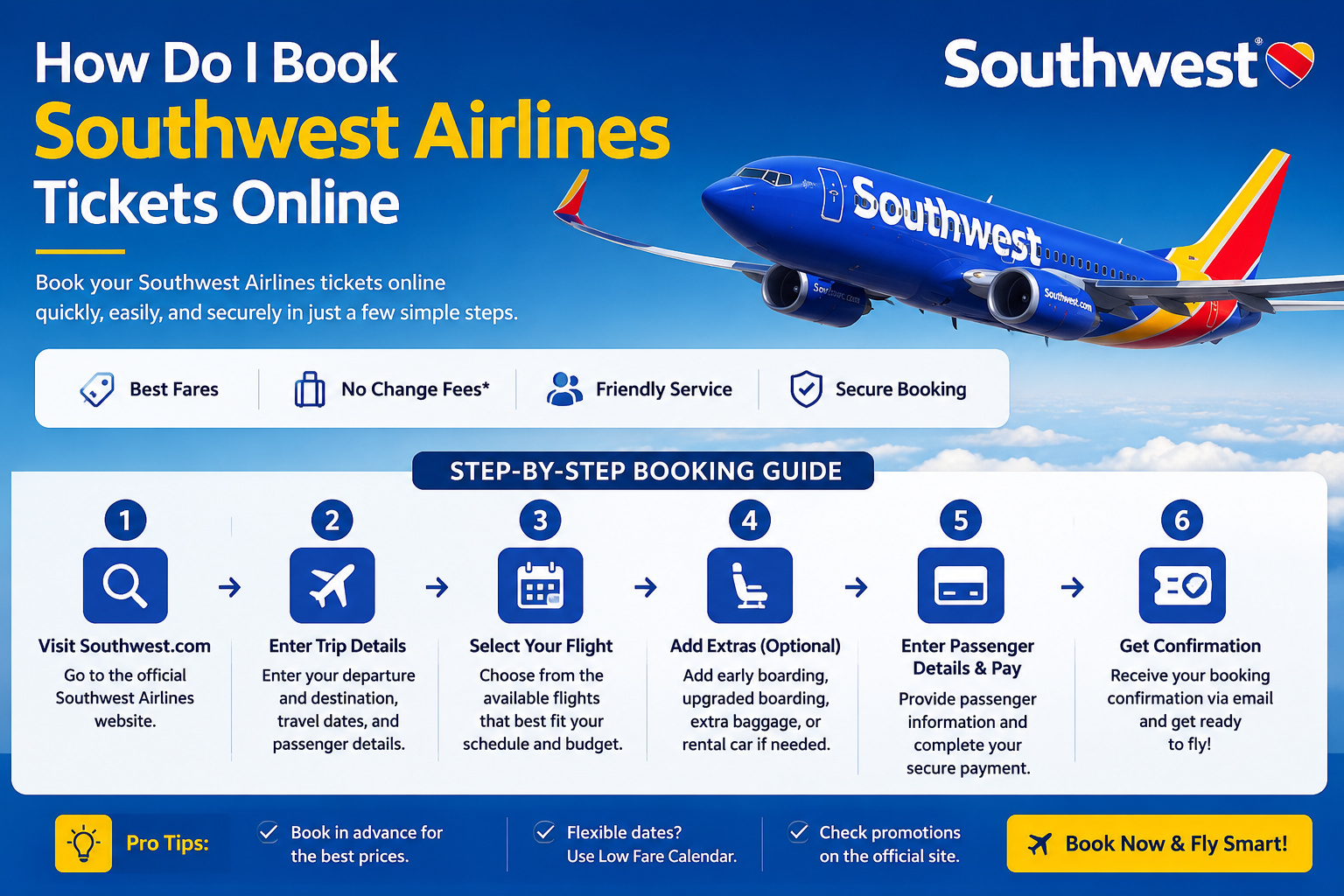
In this complete guide, you’ll learn how to book Southwest Airlines tickets online, choose the right fare, apply travel credits, and find the best deals while avoiding common booking mistakes.
Why Book Southwest Airlines Tickets Online?
Booking online provides several benefits:
- Fast and secure reservation process
- Access to the latest fare deals
- Compare multiple travel dates
- Select refundable or non-refundable fares
- Use Rapid Rewards points
- Apply travel funds or promo codes
- Manage your booking anytime
- Receive instant email confirmation
Online booking also allows travelers to review baggage policies, cancellation rules, and fare conditions before making payment.
Step-by-Step Guide to Book Southwest Airlines Tickets Online
Step 1: Visit the Official Southwest Airlines Website
Open your preferred browser and visit the Southwest Airlines homepage.
Step 2: Enter Your Travel Details
Fill in the booking form:
- Departure city
- Destination
- Departure date
- Return date (if applicable)
- Number of passengers
- One-way or round-trip
- Choose cash or Rapid Rewards points
Click Search Flights.
Step 3: Compare Available Flights
Southwest displays available flights along with different fare options.
Common fare choices include:
- Wanna Get Away
- Wanna Get Away Plus
- Anytime
- Business Select
Compare:
- Ticket price
- Flight duration
- Layovers
- Refundability
- Boarding benefits
Step 4: Select Your Preferred Flight
Choose both outbound and return flights (if round trip).
Review:
- Departure time
- Arrival time
- Total travel duration
- Total fare
Step 5: Enter Passenger Information
Provide:
- Full legal name
- Date of birth (if required)
- Contact information
- Rapid Rewards number (optional)
Double-check spelling before continuing.
Step 6: Add Extras
Depending on your trip, you may choose to add:
- EarlyBird Check-In
- Upgraded Boarding
- Hotel packages
- Rental cars
- Travel protection
These services are optional.
Step 7: Review Your Reservation
Before payment, verify:
- Passenger names
- Travel dates
- Departure airports
- Fare type
- Total price
- Taxes and fees
Step 8: Make Payment
Southwest accepts multiple payment methods including:
- Credit cards
- Debit cards
- Southwest gift cards
- Travel funds
- Rapid Rewards points
- Digital payment options (where available)
After payment, you’ll receive an email confirmation with your confirmation number.
Southwest Fare Types Explained
Choosing the right fare depends on your travel needs.
Wanna Get Away
- Lowest fares
- Great value
- Flight credits available if plans change
Wanna Get Away Plus
- Added flexibility
- Transferable flight credits
- Earn more Rapid Rewards points
Anytime
- Refundable fare
- Priority flexibility
- Higher points earning
Business Select
- Premium boarding benefits
- Refundable ticket
- Priority security (where available)
- Highest Rapid Rewards earning rate
Tips to Get the Best Southwest Flight Deals
Save more money by following these booking tips:
- Book several weeks in advance
- Travel on Tuesdays or Wednesdays
- Be flexible with travel dates
- Monitor fare sales
- Redeem Rapid Rewards points
- Use available travel credits before they expire
- Compare nearby airports
- Book during seasonal promotions
Can I Book Southwest Flights Using Rapid Rewards Points?
Yes. Members of Southwest’s Rapid Rewards program can:
- Redeem points for flights
- Earn points on eligible bookings
- Combine cash and travel credits (where applicable)
- Track future rewards
Joining the program is free and can help frequent travelers save money over time.
Can I Change or Cancel My Online Booking?
Yes. Southwest is known for its flexible booking policies.
Depending on your fare type, you may be able to:
- Change travel dates
- Cancel flights
- Receive travel credits
- Request refunds on eligible fares
- Rebook online without paying change fees (fare differences may apply)
Always review the fare rules before completing your purchase.
Why Book Southwest Airlines Online?
Online booking offers greater convenience, flexibility, and access to exclusive promotions. Travelers can compare fares, manage reservations, redeem rewards, and receive instant confirmations—all from a computer or mobile device.
Whether you’re traveling for business or leisure, booking online makes the reservation process quick and hassle-free.
Frequently Asked Questions (FAQs)
How do I book Southwest Airlines tickets online?
Visit the official Southwest Airlines website, enter your travel details, choose your flight, complete passenger information, make payment, and receive your booking confirmation by email.
Is it cheaper to book Southwest flights online?
Online booking often provides access to promotional fares and allows you to compare dates and prices more easily, helping you find competitive deals.
Can I reserve a seat when booking Southwest tickets?
Southwest uses an open seating policy, so passengers do not select seats during booking. Boarding position determines seat choice.
Can I pay using Rapid Rewards points?
Yes. Eligible travelers can redeem Rapid Rewards points when booking flights online.
Can I change my booking after purchasing?
Yes. Most Southwest tickets can be changed online. Fare differences may apply depending on your new itinerary.
Does Southwest charge change fees?
Southwest generally does not charge change fees, although any fare difference between your original and new flight may still apply.
Can I book flights for multiple passengers?
Yes. Southwest allows multiple passengers to be included in a single reservation during the online booking process.
Final Thoughts
Booking Southwest Airlines tickets online is simple, secure, and convenient. By following the steps outlined in this guide, travelers can compare fares, choose the best travel options, redeem rewards, and manage reservations with ease.
To maximize savings, book early, stay flexible with travel dates, and watch for promotional fares. Whether you’re planning a short domestic trip or a longer journey, Southwest’s online booking platform makes the process straightforward and traveler-friendly.